How to rank better in AI search
Start by checking how AI tools see your brand. Open HubSpot's free AI Search Grader, enter your company name, location, a specific product or service and your industry, then click Grade My Brand. It scores you in ChatGPT, Perplexity and Gemini across brand recognition, market score, presence quality, brand sentiment and share of voice, and shows where to improve.
Quick steps
- Open HubSpot's free AI Search Grader.
- Enter your company name, location, a specific product or service, and your industry.
- Click Grade My Brand and wait a few seconds while it checks ChatGPT, Perplexity and Gemini.
- Read your overall score for each platform and the five category scores under it.
- Click Unlock Insights and enter your email to see the full report.
- Go through each section for the opportunities to fix, then click Download Report to share it with your team.
AI Search Grader
A free HubSpot tool that shows how your brand appears in ChatGPT, Perplexity and Gemini, with no account required.
AI search is changing where buyers find you. If your brand isn’t showing up in tools like ChatGPT, Gemini or Perplexity, you could be invisible to potential customers before they ever reach your website. This guide uses HubSpot’s free AI Search Grader to see how a newer social media marketing company shows up in AI search, and where it can improve.
Open the AI Search Grader
The AI Search Grader is a free, one-time check of what ChatGPT, Perplexity and Gemini say about your brand. You don’t need a HubSpot account to use it. Open it from the link on this page.
Enter your brand details
The grader asks a few questions about your company so it can grade your brand.
- Fill in Company Name.
- Fill in Location. The video uses United States.
- Under Product or Services, be specific. Don’t just say marketing. Say something like social media marketing for small businesses.
- Fill in Industry.
- Click Grade My Brand.
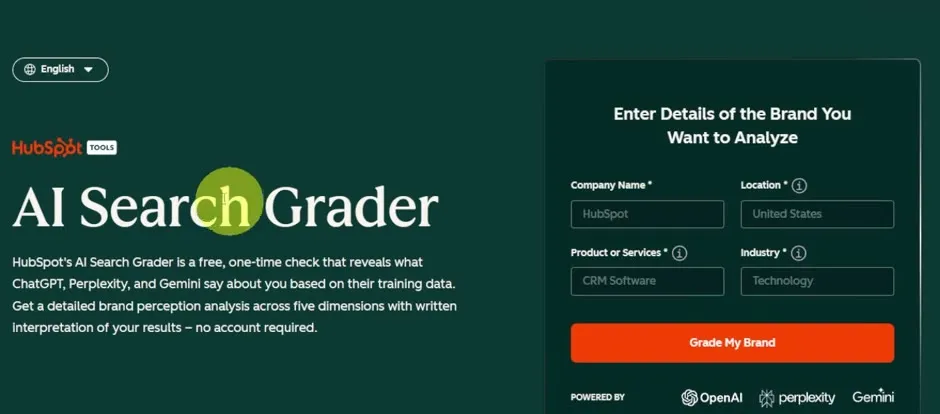
It takes a few seconds. The grader searches for your information on each AI platform to see how you perform and where you show up.
Read your overall score
The results show an overall AI Search Score for each platform: OpenAI, which powers ChatGPT, Perplexity and Gemini. The scores are out of 100. If you are up in the green, near 100, you are doing well.
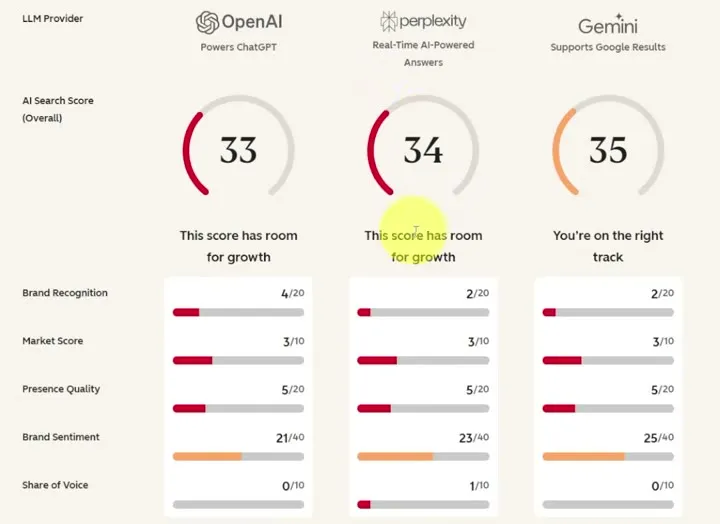
The company in the video is new, so it sees a lot of red and low scores. That is fine. The point is to see where you can improve.
Understand the five categories
Under each overall score, HubSpot breaks the result into five categories: Brand Recognition, Market Score, Presence Quality, Brand Sentiment and Share of Voice. Rather than just asking whether AI knows your company exists, they show how clearly you are represented and how you compare with competitors.
- Brand Recognition: how established your brand is in the information these AI systems find and use.
- Presence Quality: how clearly AI can represent your business. Does it understand what you do, who you are, who you serve and what products or services you offer?
- Brand Sentiment: the overall tone AI uses when talking about your brand. If AI keeps linking your brand with something negative or inaccurate, look into it.
- Share of Voice: your visibility compared with other brands in the same category. If competitors appear much more often than you, investigate what they are doing differently.
Below the scores, each platform has a short summary of what you can improve.
Unlock the full report
- Scroll down to Access Your Full Report Today and click Unlock Insights.
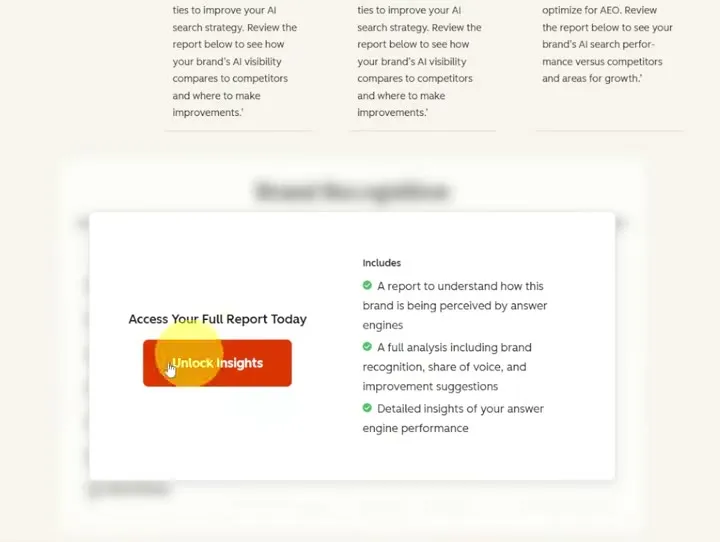
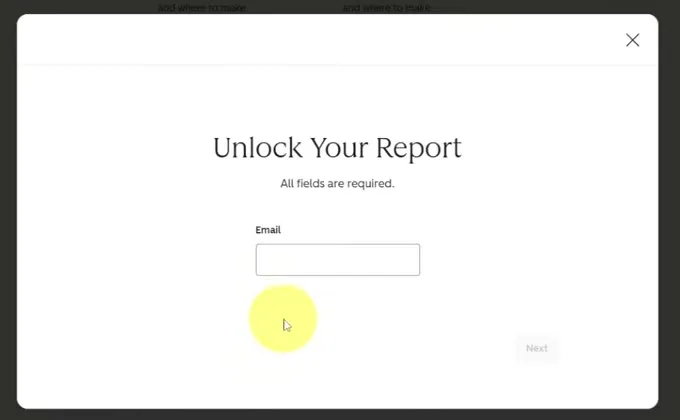
- Enter your Email. You are not signing up for anything, and you don’t need a HubSpot account. It just wants to know who you are.
Explore the detailed report
The full report goes through each category in much more detail. Hover over the small info icons next to each row for more information about what it means.
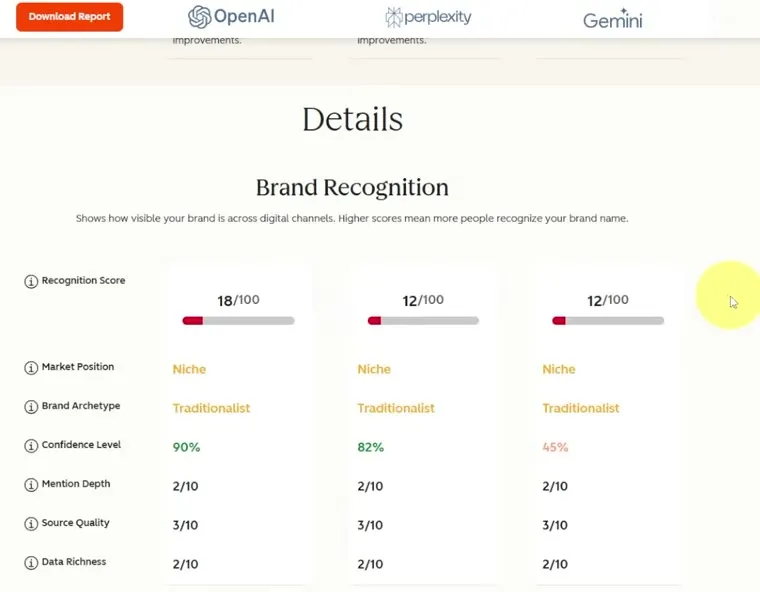
The report also includes:
- Market Competition: who is in your market and how they rank.
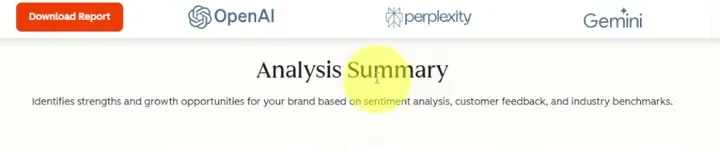
- Analysis Summary: your strengths and the opportunities it found.
- Contextual Analysis and Sentiment Analysis: the narrative themes and sentiment.
Together these show where the opportunities are and how to fix them.
Download the report
Click Download Report at the top of the page to save the report, so you can send it to the rest of your team and analyze it together.
The grader is a one-time check. To go further, HubSpot’s AEO tool monitors your AI visibility over time, tracks competitors and gives you recommendations for what to improve next.
Common questions
How do I check if my brand shows up in AI search?
Use HubSpot's free AI Search Grader. It gives you a snapshot of how your brand appears across ChatGPT, Gemini and Perplexity, including your visibility, your sentiment, how you compare with competitors and where your biggest gaps are.
Do I need a HubSpot account to use the AI Search Grader?
No. To unlock the full report it asks for your email, but you are not signing up for anything and you don't need a HubSpot account.
What is a good AI search score?
The scores are out of 100. If you are up in the green, near 100, you are doing well. A newer company can expect a lot of red and low scores, which shows you where to improve.
What does the AI Search Grader measure?
It gives you an overall score for each platform and breaks it into five categories. These are brand recognition, market score, presence quality, brand sentiment and share of voice.
How do I track my AI search visibility over time?
The grader is a one-time check. HubSpot also has an AEO tool that monitors your AI visibility over time, tracks competitors and gives you recommendations for what to improve next.
AI Search Grader
A free HubSpot tool that shows how your brand appears in ChatGPT, Perplexity and Gemini, with no account required.
AI Search Grader
A free HubSpot tool that shows how your brand appears in ChatGPT, Perplexity and Gemini, with no account required.
Grade your brand free