How to find your target audience with a free buyer persona tool
Open HubSpot's free Make My Persona AI tool and describe your ideal customer as specifically as you can: their job, company size, age, location, budget and the problem you solve for them. Answer the follow-up questions, enter your details to unlock the full report, then read the persona's goals and where they get information, and download it for your team.
Quick steps
- Open HubSpot's free Make My Persona AI tool.
- Under Describe your ideal customer, say who they are, what problem you solve and what they want to gain, then click the arrow.
- Answer the follow-up questions, such as their biggest challenge and how you help them succeed.
- Enter your details and click Save My Persona to unlock the full report.
- Read the persona, especially their goals and where they gain information.
- Click Download/Export to share the persona with your team.
Make My Persona
HubSpot's free AI buyer persona generator. Describe your ideal customer and get a full persona you can download and share.
Knowing your target audience makes it much easier to write better messaging, plan marketing campaigns and even shape the products you offer. This guide uses HubSpot’s free Make My Persona AI tool to build a buyer persona for a social media company whose ideal customer is a small business owner with no marketing team.
Open Make My Persona AI
Make My Persona AI is a free buyer persona generator from HubSpot. It takes a few minutes to set up and builds a complete buyer profile, including demographics, goals, pain points and where your audience gets their information. Open it from the link on this page.
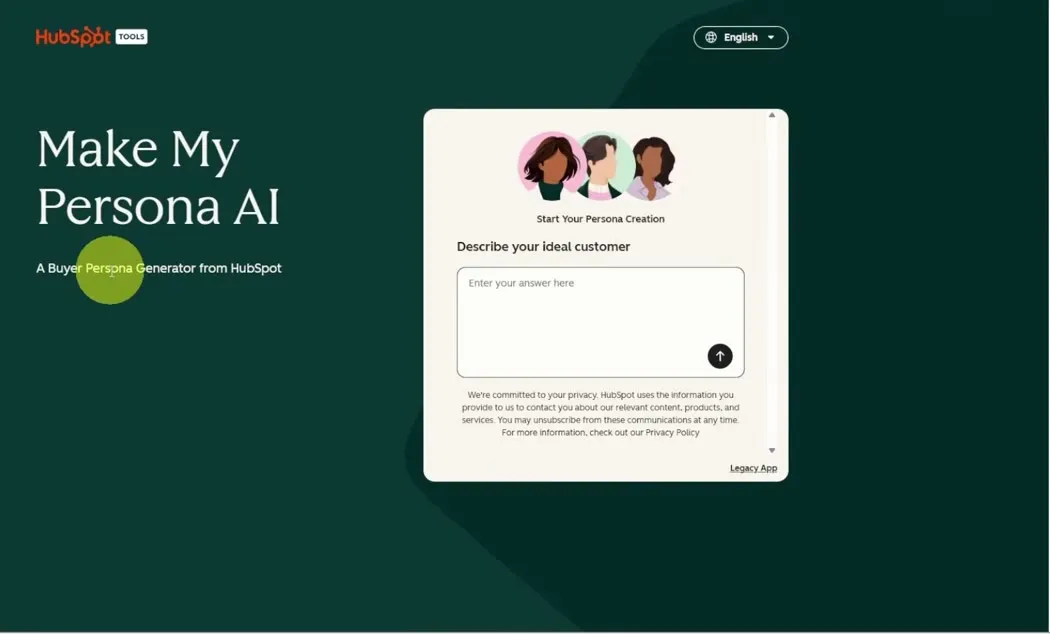
Describe your ideal customer
Type your ideal customer, as you see them, into the Describe your ideal customer box.
- If you already have clients, think of the one your whole team points to and says, “I want to work with more people like that.” Describe them.
- If you are just starting out, think about who you want to work with and who will benefit most from your product or service.
Be specific. Rather than saying your service is for everybody or for business owners, think about their job or industry, company size, age, location, experience level, budget, interests and buying behavior. The tool fleshes this out into a fuller profile and may add things you hadn’t considered.
Then add the problem you solve for them and what they want to gain from you. Here is the description used in the video for a social media company:
My ideal customer is a small business owner with 5 to 20 employees who doesn't have an internal marketing team. They know social media could help grow their business, but they don't have an internal marketing team and struggle to consistently create content. They want to generate more awareness and leads online without spending their own time managing social media.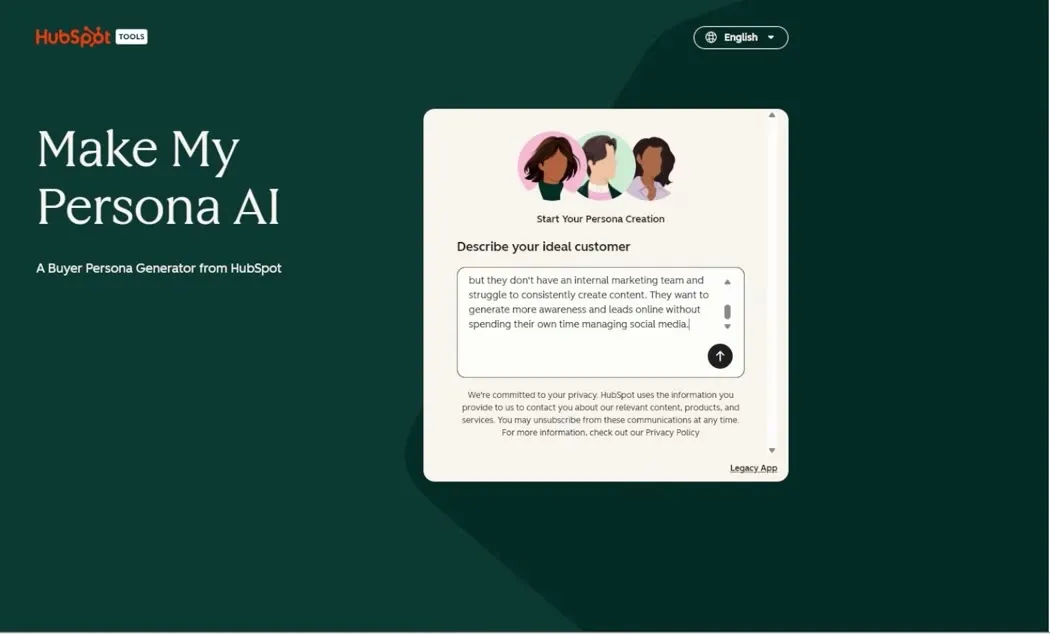
You can add as much or as little as you want. The more detail you give it, the more specific the persona will be. You can also add personal details, such as being family oriented or loving sports, if that matters for who you want to work with.
Click the arrow to send it.
Answer the follow-up questions
The tool asks a few follow-up questions to get a better idea of who this person is. In the video, it asked three:
- What is their biggest challenge? The answer used: finding the time and inspiration to create and post content.
- How do you help them succeed? The answer used: we create a system for them to generate content, and then we do all the work.
- A question about your products or services. The answer used: video production and social media management.
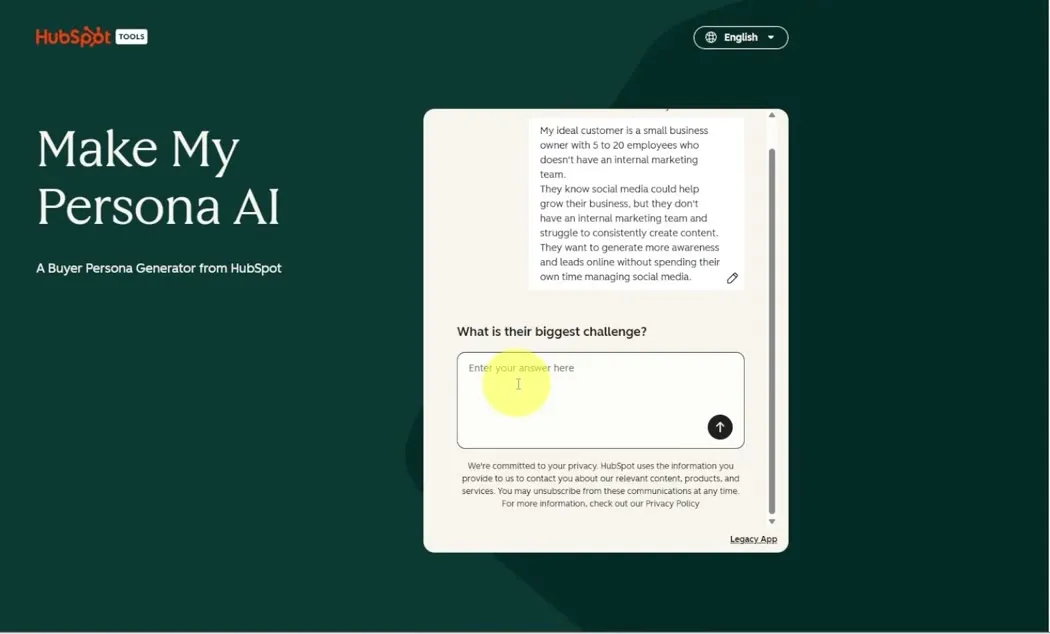
After those three questions, it starts creating the buyer persona.
Unlock the full persona
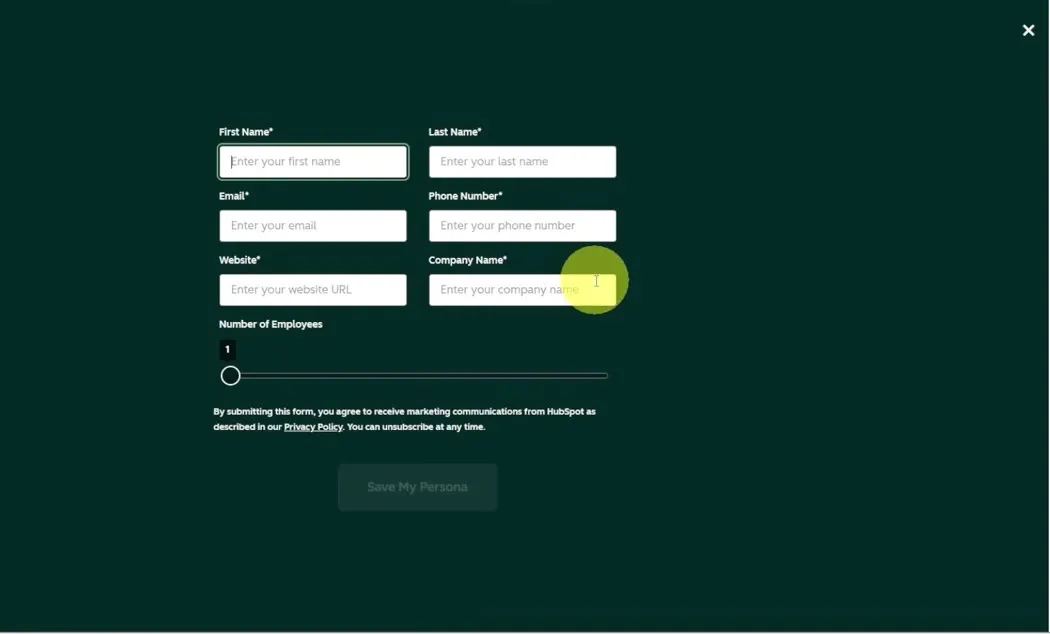
As it creates the persona, a page pops up to unlock the full report. Click it, and the tool asks for some information about you: First Name, Last Name, Email, Phone Number, Website, Company Name and Number of Employees.
It doesn’t ask for any payment, and you don’t need a HubSpot account. Fill in the form and click Save My Persona. It then tells you your persona is ready.
Read your buyer persona
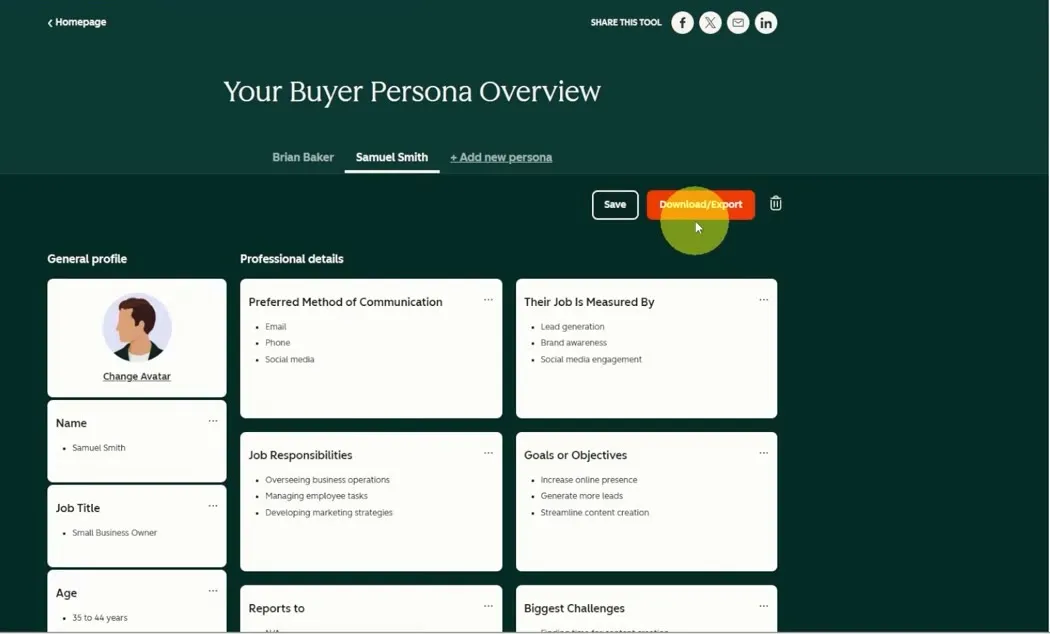
Your Buyer Persona Overview shows everything the tool built. It even gives the persona a name, Samuel Smith in the video, and an avatar. You’ll see details such as:
- Job title and job responsibilities
- Preferred method of communication
- What their job is measured by
- Goals or objectives
- Biggest challenges
- Age and highest level of education
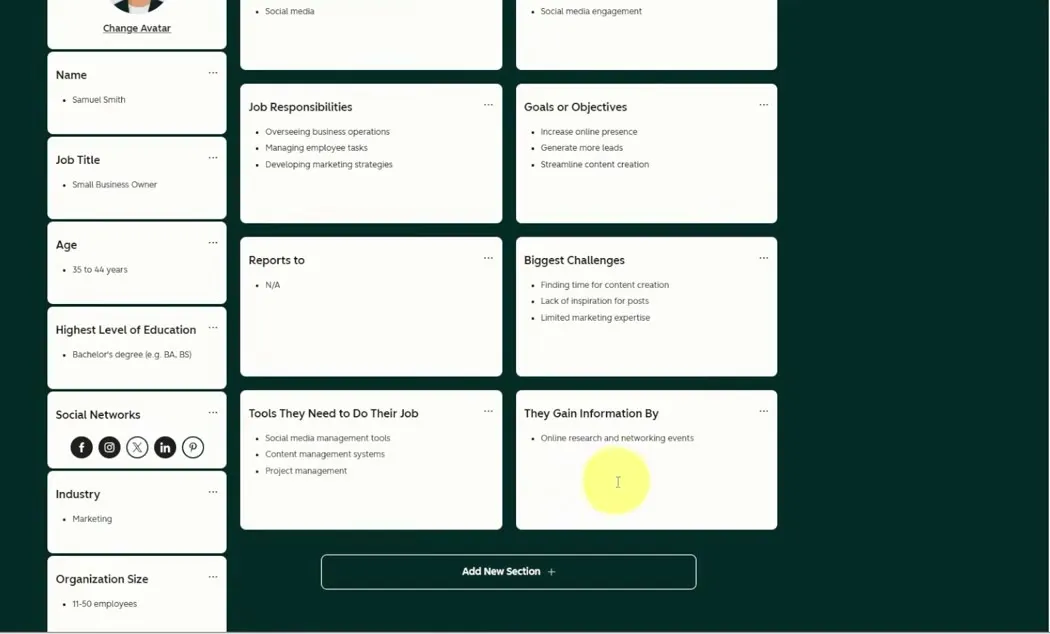
- The social networks they use
- Where they gain information
Use the persona in your marketing
Two sections are especially useful.
Goals or Objectives. In the video these are increase online presence, generate more leads and streamline content creation. Now you know what the persona wants for their business, so create marketing material that targets those needs. If you talk about increasing online presence for business owners, that is who will find it.
They Gain Information By. In the video, the persona gains information through online research and networking events. That tells you emails and cold calls aren’t the way to reach them. Go to those networking events, and create online content so they can find you online.
The better you understand who you are talking to, the easier it is to create marketing content, build a website or landing page that speaks directly to that person, and know which events to attend. It also helps on sales calls and at networking events. You can recognize when you are speaking with your ideal persona and shift your sales approach to the person who will get the most out of what you offer.
Download and share it with your team
Click Save to keep the persona, or Download/Export to download it as a PDF. Send it to your team and talk it through, so everyone is working from the same definition of who you are trying to reach.
Common questions
How do I find the target audience for my business?
Start with a client your team points to and says they want more people like. If you are just starting out, think about who will benefit most from your product or service. Then be specific about their job, industry, company size, age, location, experience level, budget, interests and buying behavior.
How do I create a buyer persona?
Describe your ideal customer in HubSpot's free Make My Persona AI tool and answer its follow-up questions. It builds a full profile with a name, avatar, job details, goals, challenges, age, education, the social networks they use and where they get information.
Is Make My Persona free?
Yes. To unlock the full report it asks for some information about you, but it doesn't ask for any payment and you don't need a HubSpot account.
How detailed should my ideal customer description be?
You can add as much or as little as you want, but the more detail you give it, the more specific the persona will be. You can also add personal details, such as being family oriented or loving sports, if that matters for who you want to work with.
What do I do with a buyer persona once I have it?
Use it to shape your marketing content, website and landing pages, to choose which events to attend, and to recognize your ideal customer on sales calls and at networking events. You can download it and share it with your team so everyone works from the same definition.
Make My Persona
HubSpot's free AI buyer persona generator. Describe your ideal customer and get a full persona you can download and share.
Make My Persona
HubSpot's free AI buyer persona generator. Describe your ideal customer and get a full persona you can download and share.
Make your persona free