How to audit a website for SEO with HubSpot's free Website Grader
Open HubSpot's free Website Grader, enter your website and email, and click Get your score. You get an overall score out of 100 and a breakdown for performance, SEO, mobile and security. Scroll through each section to see what passed and failed, then use the What should I do next? table to fix the problems and run the audit again.
Quick steps
- Open HubSpot's free Website Grader.
- Enter your website and your email, then click Get your score.
- Read your overall score out of 100 and the scores for performance, SEO, mobile and security.
- Scroll through each section to see which checks pass and which fail.
- Use the What should I do next? table to fix each problem, or send it to your webmaster.
- Run the audit again after your fixes to see how your score improves.
HubSpot Free CMS Tools
Free website and marketing tools from HubSpot for building and updating pages and continuing to improve your site.
When traffic is flat, visitors aren’t converting or rankings have dropped, guessing at what to fix wastes time. HubSpot’s free Website Grader checks your site in a few minutes, scores four areas (performance, SEO, mobile and security) and gives you a list of specific fixes. In the video’s example, the site scores 70 out of 100, and the report shows exactly where the missing points are.
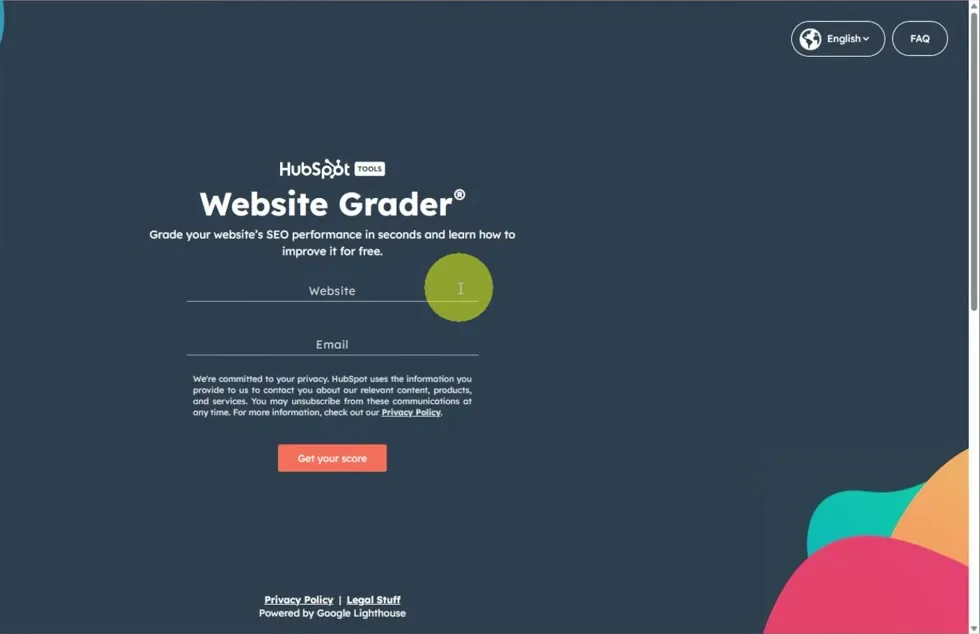
Run the Website Grader
- Open HubSpot’s Website Grader.
- Enter your Website and your Email.
- Click Get your score.
Read your overall score
The report opens with an overall score out of 100 and a short verdict. The example site gets 70 and “This site is OK.”
Below the overall score, the report breaks the result into four areas, each with its own score:
- Performance, out of 30 (the example scored 5)
- SEO, out of 30 (the example scored 25)
- Mobile, out of 30 (the example scored 30)
- Security, out of 10 (the example scored 10)
The areas with the lowest scores are your biggest opportunities. If your number is low, don’t be discouraged. That is why you run the audit: to find out exactly what to fix.
Check performance
Performance looks at how well and how quickly your website loads. This matters for SEO, and it matters for visitors too: if a page takes too long to load, people may leave before they see your content.
The section checks page size, page requests, page speed, browser caching, minimal page redirects, image size, and minified JavaScript and CSS. Each check explains what it means. For example, the heavier the page, the slower it loads.
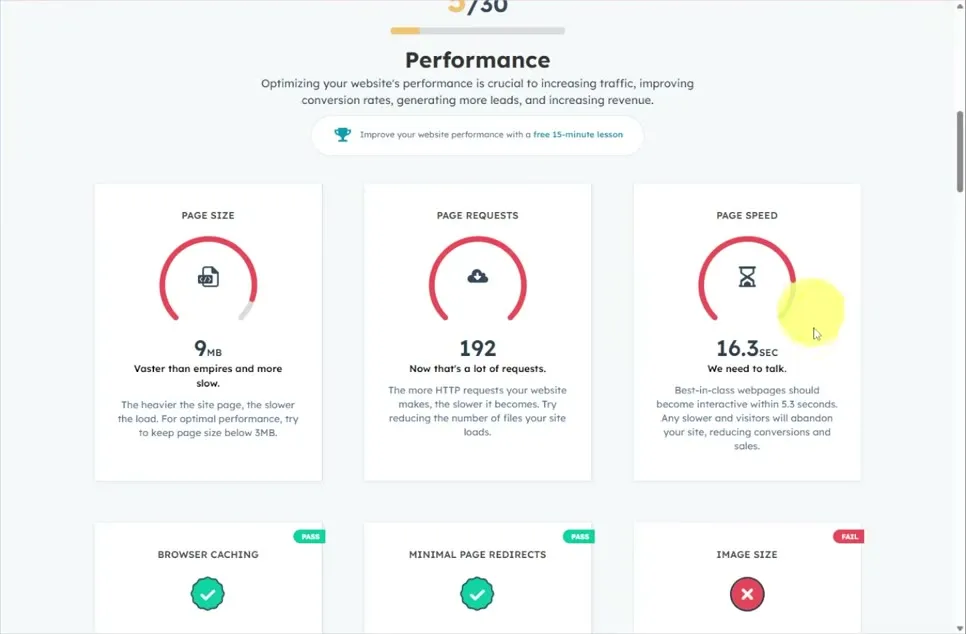
Go through the checks and sort them into the ones that pass and don’t need your attention right now, and the ones that are flagged and need work.
Check SEO
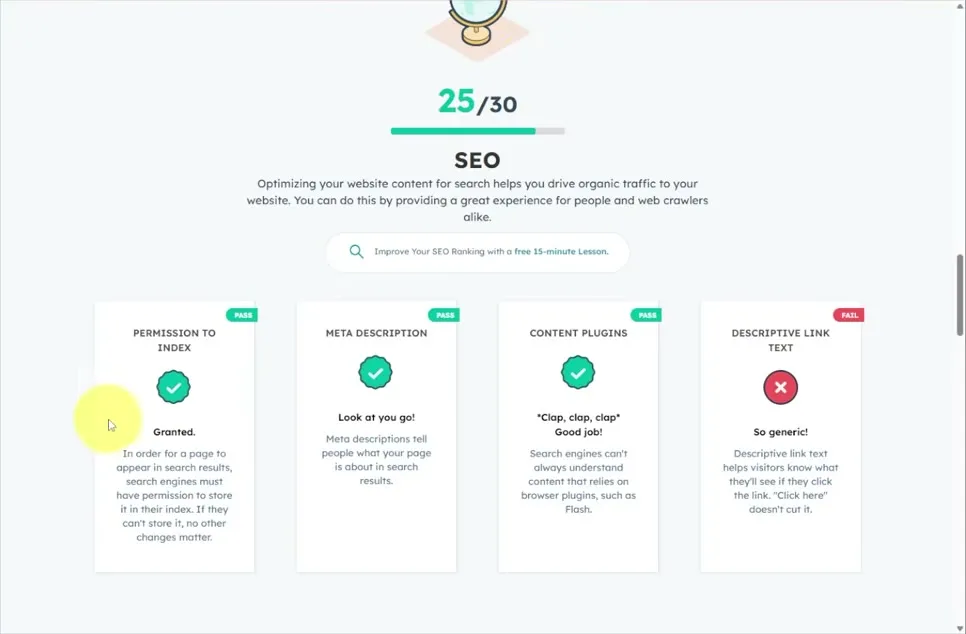
The SEO section checks Permission to index, Meta description, Content plugins and Descriptive link text.
In the example, descriptive link text fails. Link text should tell visitors what they’ll see if they click it. “Click here” isn’t enough. This is an easy fix that is easy to miss until the audit points it out.
Check mobile and security
A lot of people look at websites on their phones, so the Mobile section checks Legible font size, Tap targets and whether the site is Responsive. Many website builders already handle this, which is why the example site scores full marks here.

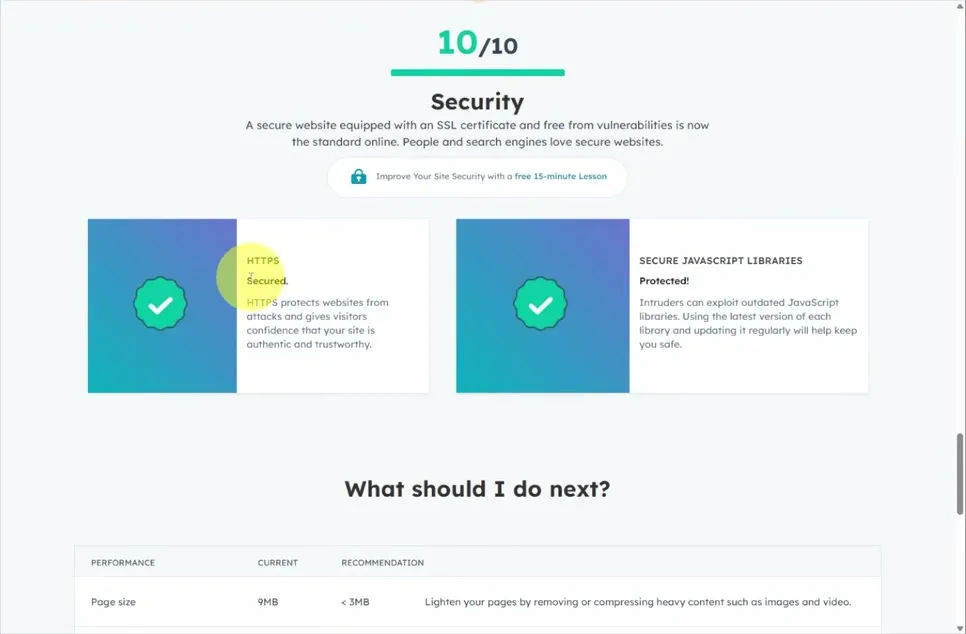
The Security section checks whether your site uses HTTPS and Secure JavaScript libraries.
Use the recommendations to fix problems
At the bottom of the report, What should I do next? pulls everything into one table: each problem, where you are now, where you should be, and how to fix it. In the example:
- Page size is 9MB and should be under 3MB. Lighten your pages by removing or compressing heavy content such as images and video.
- Page requests are at 192 and should be under 30.
- Page speed is 16.3 seconds and should be under 5.3 seconds.
- Descriptive link text needs fixing under SEO.
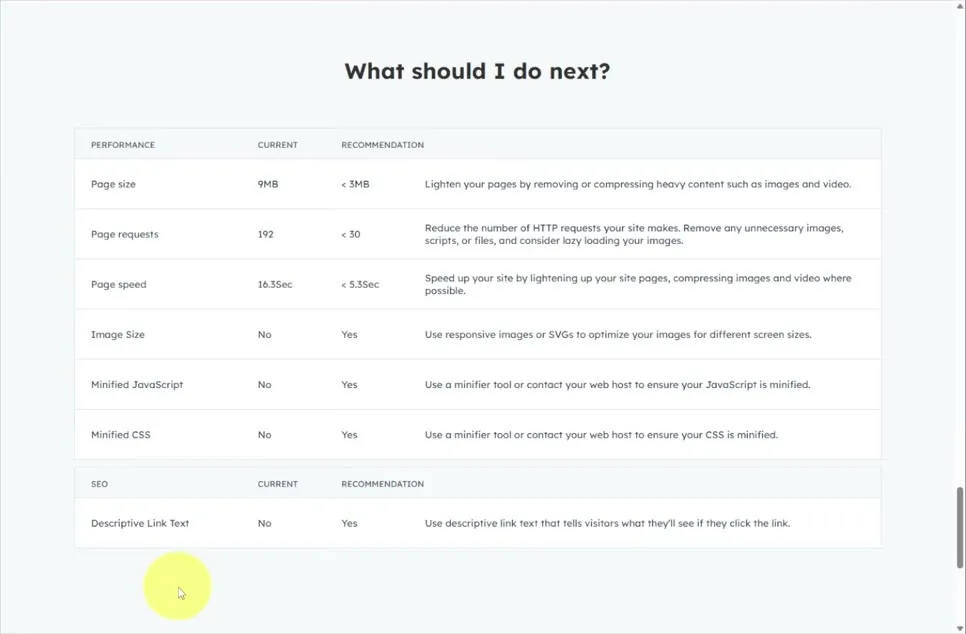
You can work through the list yourself or send it to your webmaster. Once the fixes are in, come back, run the audit again and see how your score improves.
When you know what needs fixing, HubSpot also has free website and marketing tools you can use to build and update pages and keep improving your site.
Common questions
How do I audit my website for SEO for free?
Use HubSpot's free Website Grader. Enter your website and email, click Get your score, and you get an overall score plus a breakdown for performance, SEO, mobile and security.
What does HubSpot's Website Grader check?
Four areas. Performance covers page size, page requests, page speed, browser caching, redirects, image size and minified JavaScript and CSS. SEO covers permission to index, meta description, content plugins and descriptive link text. Mobile covers font size, tap targets and responsiveness, and security covers HTTPS and secure JavaScript libraries.
How long does a website audit take?
Only a few minutes. You enter your website and email, and the report comes back with specific recommendations.
What should I fix first after a website audit?
Start with the section where you lose the most points. In the video's example, performance scored 5 out of 30, so the large page size, the number of page requests and the slow page speed were the biggest opportunities.
What if my website gets a low score?
Don't be discouraged. The point of the audit is to find out exactly what to fix. Once you fix the problems, run the audit again and see how your score improves.
HubSpot Free CMS Tools
Free website and marketing tools from HubSpot for building and updating pages and continuing to improve your site.
HubSpot Free CMS Tools
Free website and marketing tools from HubSpot for building and updating pages and continuing to improve your site.
Get started free