Best Claude prompts for work
The best Claude prompts for work give context before the ask. Say what your business is, who the audience is and what the goal is, then ask for the email, report or analysis. For writing, paste three emails you wrote, have Claude turn them into a writing guide, and save it as a skill.
30 Ready-To-Use AI Prompts
A free library of the best AI prompts for marketing, operations, productivity, research and writing, ready to copy.
You don’t need complicated prompts to get good work out of Claude, but there is a big gap between a basic ask and a prompt that gets something useful on the first try. These are the prompts from the video, word for word, for emails, reports, customer research and business strategy. Most of them use the same example, a small video production company that works with local businesses.
Start with context: the email prompt
The easiest way to improve almost any prompt is to give Claude enough context. Claude can use memory and your previous chats, so it knows a little about you. But if you say something like “write an email promoting our service”, it still doesn’t know enough about the offer, the audience or what you want to happen.
So put the context first and the ask second:
I'm launching a new monthly video production service for small businesses. It includes one half-day shoot per month and four edited social media videos. Our target customers are local businesses that want better social media content but don't have an internal video team.
Write a short email introducing the service to an existing client. Keep it conversational and professional. Don't make it sound overly promotional. The goal is to get them interested enough to reply and ask for more information.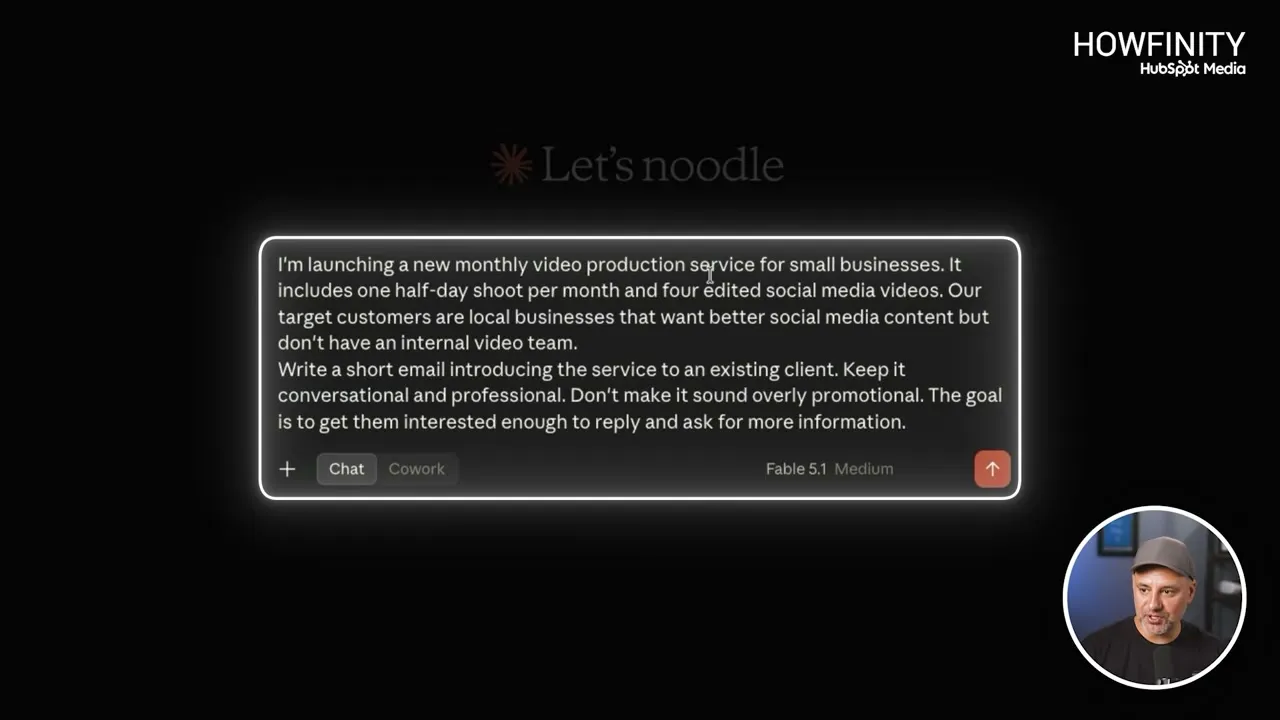
The first paragraph is all context: the business, the offer and the audience. The second is the ask, with the relationship, the tone and the goal. In the video Claude came back with a ready-to-copy email with a subject line and placeholders for the client’s name and a link.
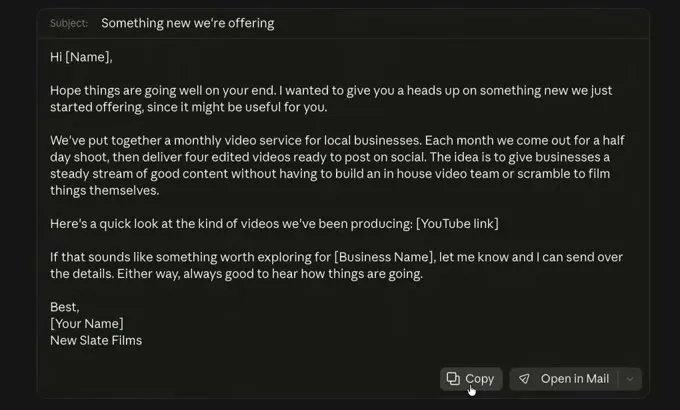
The email was good, but it wasn’t how Saj would write it. The prompt only named a tone, and Claude had to guess the rest.
Teach Claude your writing style
Don’t keep explaining your tone. Give Claude examples. Paste this prompt, then paste three emails you wrote yourself under it, ideally on a similar topic:
Analyze these emails and identify my writing style, tone, sentence length, level of formality, and any patterns you notice. Then create a short writing guide you can follow when helping me write future emails.In the video Claude returned an analysis of the tone, sentences and structure, followed by a seven-point writing guide. Read the analysis to make sure you agree with it, and ask Claude to change anything that is off.
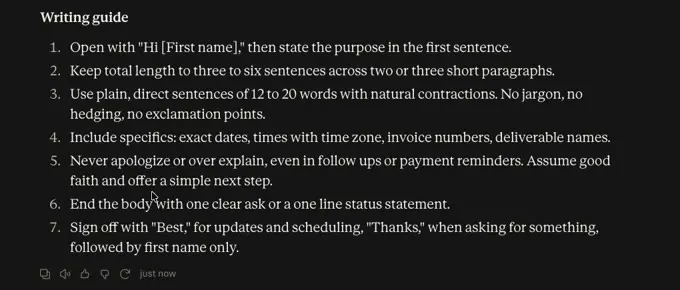
Save the writing guide as a skill
A skill is something Claude can recall later. Once the writing guide looks right, send this in the same chat:
save this as a skill called my email guideClaude writes the skill document and shows a card for it. Read through what it says, because Claude will refer to it every time it writes an email. Then click Save skill to save it to your Claude account.
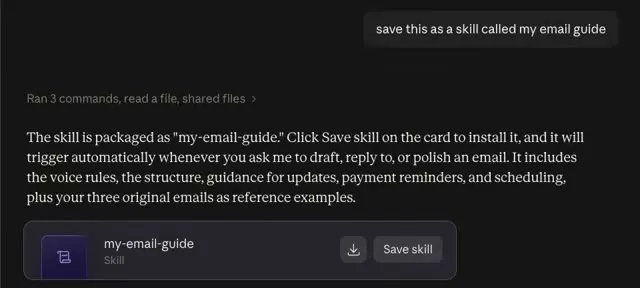
You don’t have to bring the skill into a new chat. In the video, the same email prompt from the first section went into a new chat. Claude read the saved email guide on its own and wrote a shorter, warmer, more direct email, signed off the same way as the three examples.
Create a monthly report from your data
This works for any kind of report: weekly sales, marketing, project updates, even financial reports.
- Start a new chat and paste the prompt below.
- Press the plus sign, choose Add files or photos and upload your data, such as a CSV or Numbers file.
- Send it.
Create a monthly marketing report from this data.
Start with a short overview of overall performance.
Then identify:
The biggest improvements
The biggest declines
Anything unusual in the data
Three important takeaways
Three recommended actions for next month
Use the numbers from the data to support your conclusions. If there isn't enough information to make a conclusion, tell me instead of guessing.
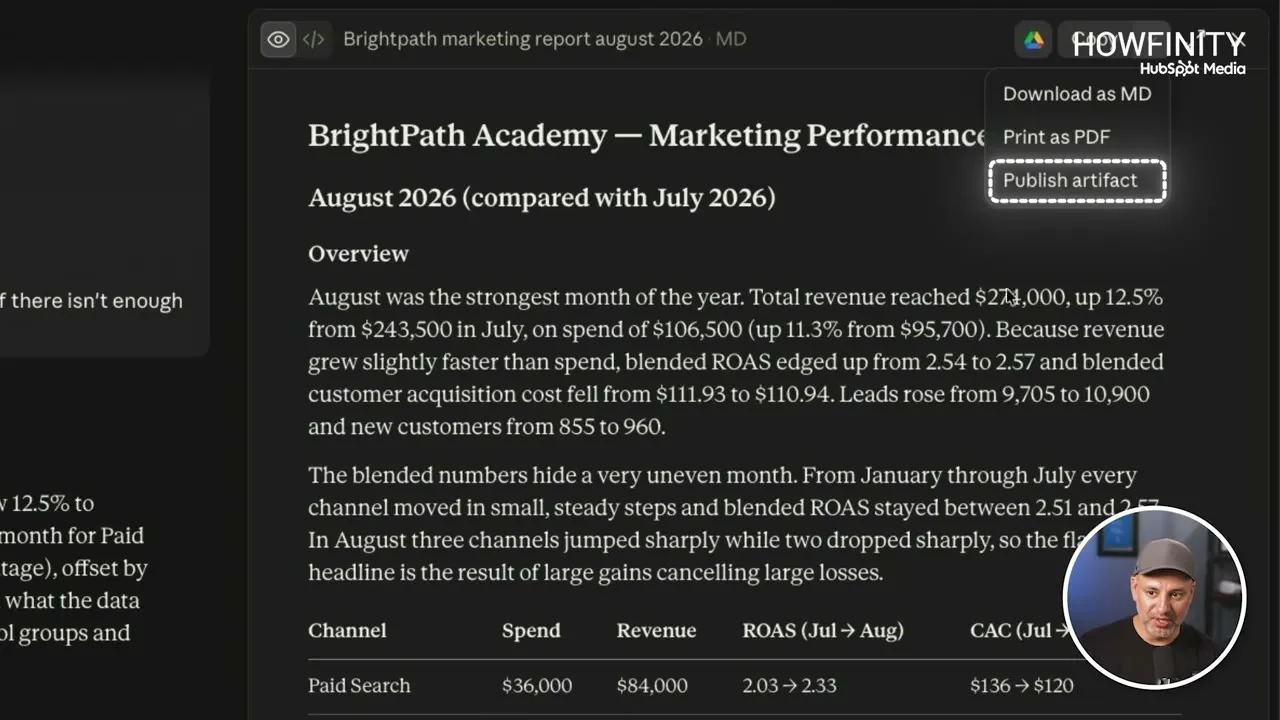
The last line matters. AI often fills in the blanks when context is missing, and this tells Claude to say so. In the video the result was a full written report for a demo company, with an overview, a table by channel and a section on what the data could not tell you.
Turn the report into a visual dashboard
With the report open, send one more line:
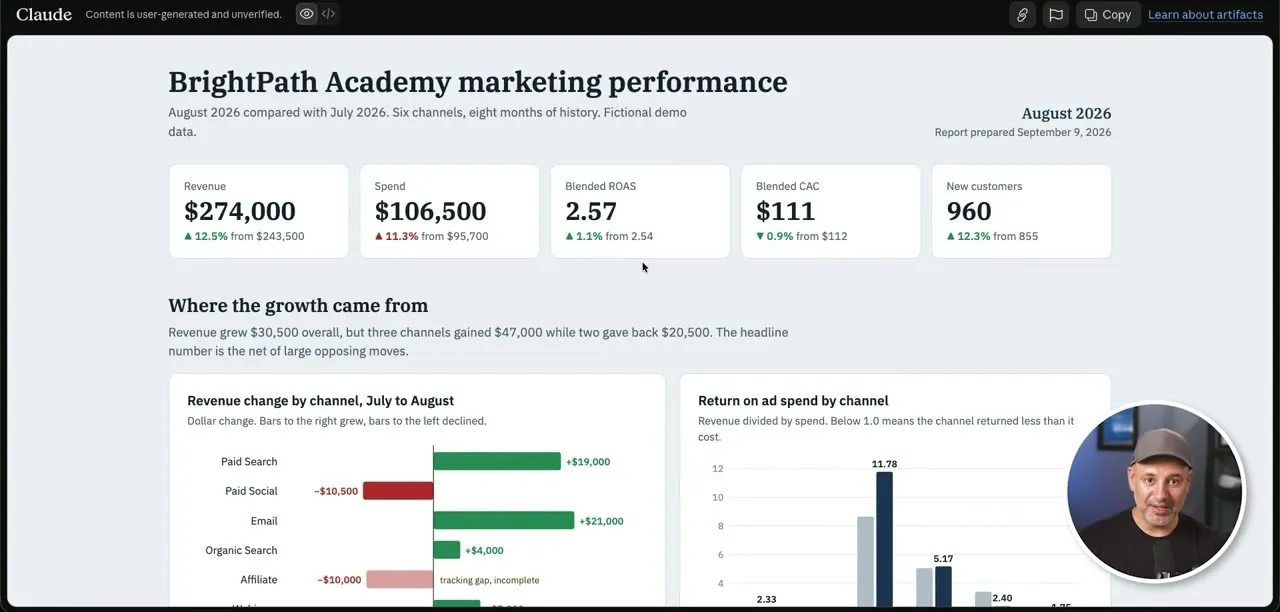
turn this into a visual dashboardA couple of minutes later Claude has the same information as a dashboard, with headline numbers at the top and charts under them. The written report is still there in the chat.
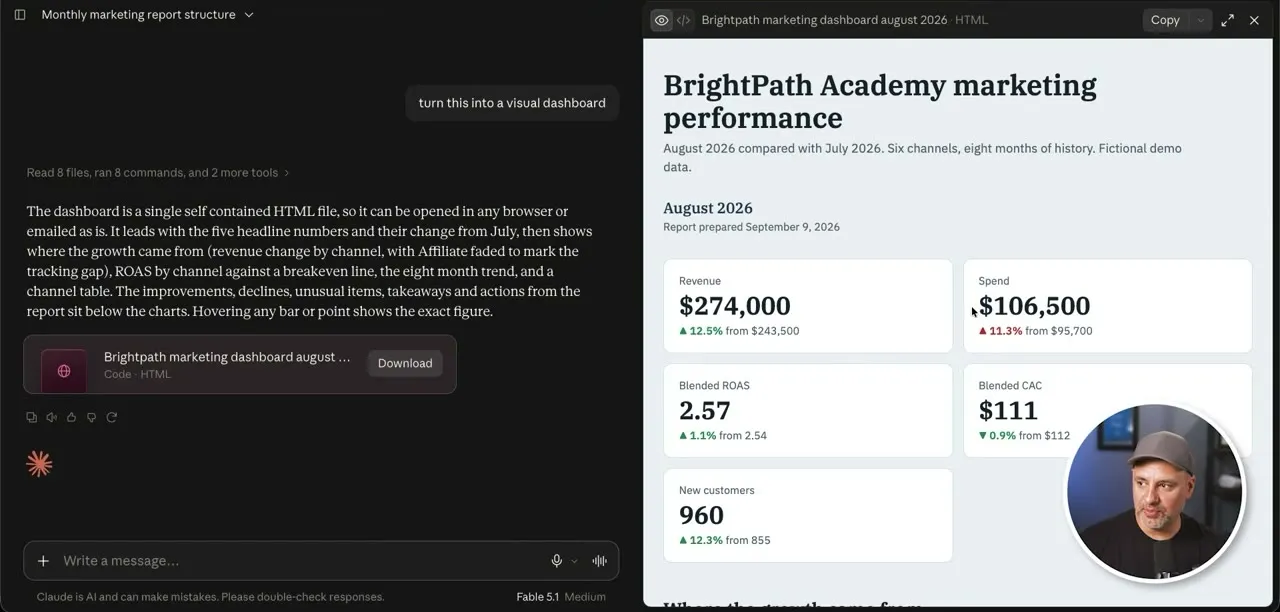
You now have two ways to share it:
- Print as PDF on the written report, then send the PDF by email.
- Publish artifact on the dashboard, then Publish & copy link. This publishes it to the web as a page and gives you a link. Anyone you send the link to sees the dashboard. On a Team plan you can publish it privately.
Saj shares reports with a link almost every time now. A published dashboard has charts and is sometimes interactive, which an emailed PDF is not.
Analyze customer feedback
Most businesses survey their customers at some point. Paste this prompt, upload the document with your survey answers and send it:
Analyze this customer feedback and identify recurring patterns.
Tell me:
What customers like the most
Their most common complaints
Features or improvements they repeatedly ask for
Questions or concerns that appear multiple times
The words and phrases customers commonly use to describe the product
Then give me five specific improvements the business should consider based on this feedback.
Claude answers right in the chat. In the video that was the most common complaints, the features people kept requesting, and five improvements to consider.
Follow up with customer profiles
Based only on this customer feedback, create three customer profiles representing the most common types of customers. For each one, explain what they care about, their biggest problem, and what would make them more likely to buy.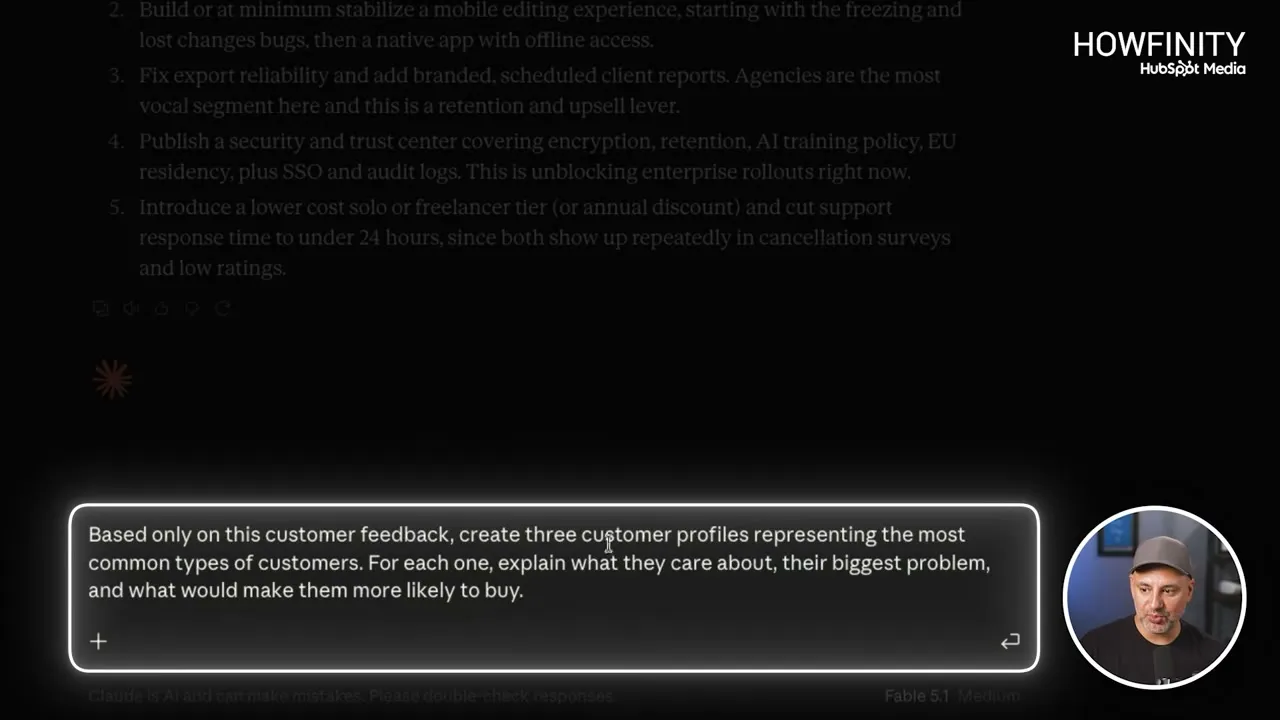
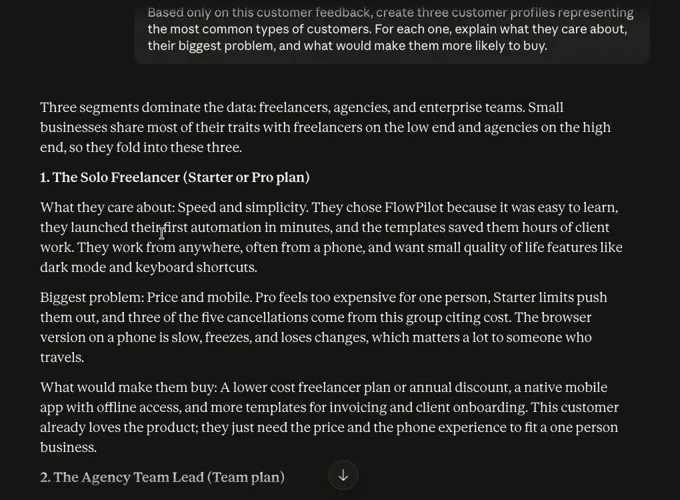
In the video Claude built three profiles from the uploaded survey, each with what that customer cares about, their biggest problem and what would make them buy. It is a quick way to see who your customers are and who you should be targeting.
Brainstorm business strategy
Don’t ask Claude to “help me figure out how to grow my business”. Give it the situation and the problem:
I run a small video production company that works primarily with local businesses.
Most projects are one-time jobs, but I'd like to create more predictable recurring revenue.
Our strengths are professional production quality, years of experience, and working personally with clients.
Give me five realistic ways I could create more recurring revenue without completely changing the business.
For each idea, explain how it would work, who I would sell it to, the potential downside, and how difficult it would be to test.
You can also add a link to your website so Claude can pull in more context on its own.
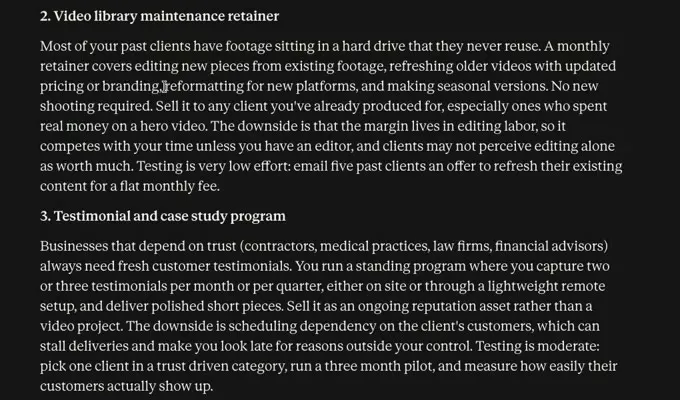
Claude came back with five ideas, each with how it works, who to sell it to, the downside and how to test it. From there, keep the conversation going. Ask it to cut the two weakest options, or to pick the strongest one. In the video the follow-up was typed exactly like this:
eliminated the two weakest optionsClaude named the two ideas it would cut and explained why. A little back and forth like this is what makes it useful for brainstorming.
Three more prompts from the free prompt library
The video also points to a free page of 30 prompts from Futurepedia, hosted on HubSpot’s website and titled “30 Ready-To-Use AI Prompts”. You can filter it by use case (Marketing, Operations, Productivity, Research and Writing) and copy each prompt. Many have a placeholder in square brackets for your own topic or product. Three of them are opened in the video.
The God Mode Research Prompt
Saj uses this one for any type of research. It uses role prompting, where the first line sets Claude up to act as something, in this case “a world class researcher”. It then asks Claude to analyze a topic from every angle and return a structured summary that covers key insights, patterns, controversies, blind spots, opportunities, and simple and advanced explanations. You can upload documents with it or have Claude search for them. The full wording is on the library page.
The 10X Learning Speed Prompt
For learning a new topic. Replace [topic] with what you want to learn:
I want to master [topic] ten times faster than normal.
Break down the topic into:
• Core concepts
• Mental models
• Most common mistakes
• 20 percent of knowledge that drives 80 percent of results
• Real world examples
• Step by step practice schedule
• Milestones and benchmarks
• Tests to confirm understanding.
The Marketing Angle Super Prompt
Replace [product] with some context about your product or service:
Give me 20 marketing angles for [product].
Use:
• Desire based angles
• Fear based angles
• Status angles
• Emotional angles
• Logic based angles
• Curiosity hooks
• Contrarian takes
Each angle must show a new way to position the same product.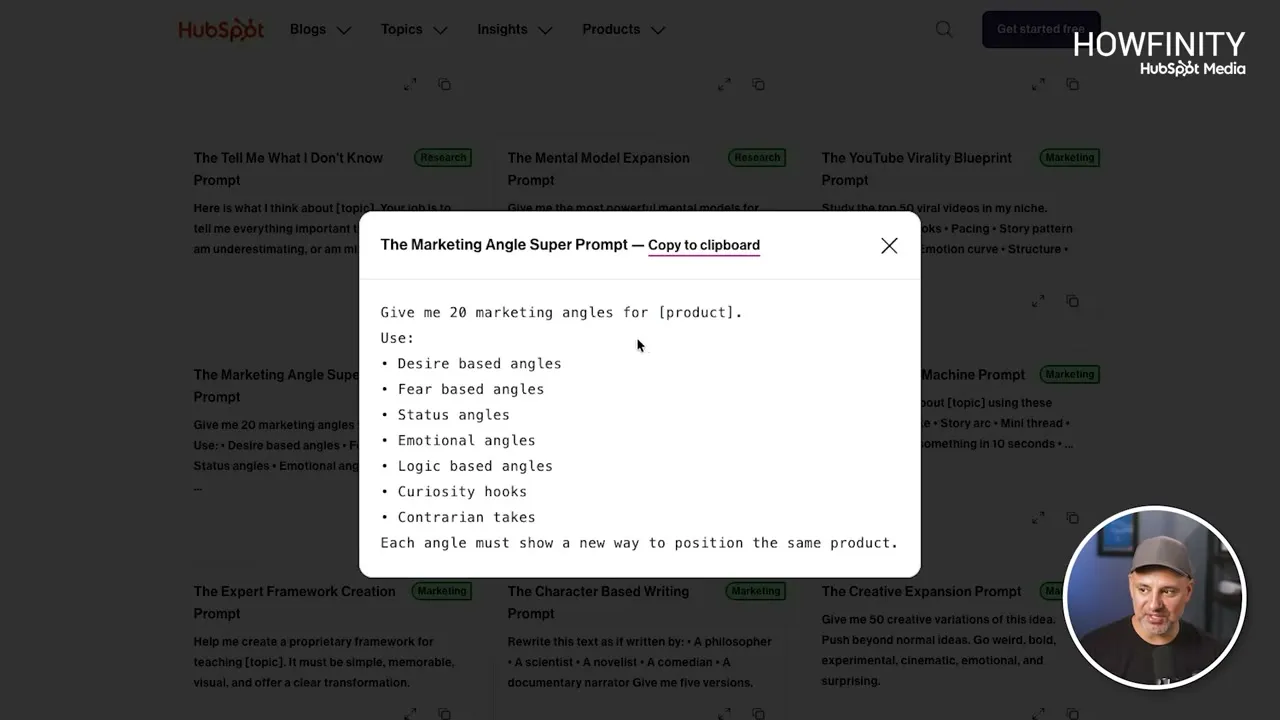
It looks simple, but the list of angle types gets you a lot of different ideas for how to market the same thing. The library has many more, including one called The Ultimate Writing Improvement Prompt under the Writing filter.
Skills are not only for writing style. A skill in Claude can be for just about anything.
Common questions
What makes a good Claude prompt for work?
Context. Claude doesn't automatically know your business, your audience or what you are trying to achieve, so a prompt that only has the ask is missing half of what it needs. Explain the offer, the audience, the tone and the goal first, then ask.
Do these prompts work in ChatGPT too?
The habit of giving enough context works the same way in ChatGPT. The parts that are specific to Claude are saving a writing guide as a skill and publishing a report as an artifact.
How do I get Claude to write emails that sound like me?
Paste three emails you wrote and ask Claude to analyze your style and create a short writing guide. Then ask it to save that guide as a skill. In the video, a new chat picked up the skill on its own and wrote a shorter, warmer email signed the same way as the examples.
Can Claude make a report from a spreadsheet or CSV file?
Yes. Press the plus sign, upload the data file and send the report prompt with it. In the video Claude wrote a full marketing report from the data, then turned it into a visual dashboard with charts when asked.
How do I share a Claude report with someone else?
You can print the report as a PDF and email it, or choose Publish artifact, which publishes it to the web and gives you a link to send. On a Team plan you can publish it privately.
How do I stop Claude from guessing when data is missing?
Say so in the prompt. The report prompt ends with "If there isn't enough information to make a conclusion, tell me instead of guessing." In the video the report came back with a section on what the data could not tell you.
30 Ready-To-Use AI Prompts
A free library of the best AI prompts for marketing, operations, productivity, research and writing, ready to copy.
30 Ready-To-Use AI Prompts
A free library of the best AI prompts for marketing, operations, productivity, research and writing, ready to copy.
Get the free prompts